
VMware Fusion
Run Windows Programs on your MAC
Overview:
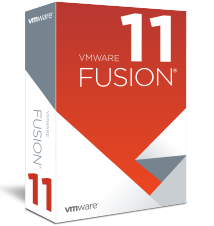
VMware Fusion delivers the ultimate ‘Windows-on-Mac’ experience, and is recommended for home users who are looking for the easiest, fastest and most reliable way to run Windows applications on a Mac.VMware Fusion gives Mac users the power to run Windows on Mac along with hundreds of other operating systems side by side with Mac applications, without rebooting. Fusion is simple enough for home users and powerful enough for IT professionals, developers and businesses.
- Easily Switch from a PC to a Mac
- Run your favorite Windows applications side by side with your Mac applications with ease
- Ready for macOS Mojave and the latest releases of Windows 10
- Faster 3D graphics with DirectX 10.1 Support
- Use specific Windows-only devices on your Mac
- Perfect complement to Boot Camp
VMware Fusion: Powerfully Simple
Run Nearly Any Operating System on a Mac
Running Windows on Mac is only the beginning. VMware Fusion lets you choose from hundreds of supported operating systems, from lesser-known Linux distributions to the latest Windows 10 release, to run side by side with the latest macOS release.
Connect to VMware vSphere
Securely connect with vSphere, ESXi and Workstation servers to launch, control and manage both virtual machines (VMs) and physical hosts. Thanks to the common VMware platform, VMs can be easily transferred from the vSphere data center to the Mac desktop and then run in Fusion.
Develop and Test for Any Platform
Fusion makes it simple to test nearly any OS and app on a Mac. Build and test apps in a sandbox while securely sharing local source files and folders. Fusion Pro now includes a RESTful API to integrate with modern development tools like Docker, Vagrant, Ansible, Chef, and others to fit the power of VMware into today’s Agile and DevOps-oriented production pipelines.
Design and Demo Complex Solutions
With the ability to run an entire virtual cloud stack on a single Mac, solution architects can demonstrate their entire software solution in real time, with safe rollback points to return to known configurations. Fully express the story of your software journey by running all of its components on a single notebook to show the world.
Run Local Corporate Desktops
Isolate corporate desktops from BYO devices by disabling copy-and-paste, drag-and-drop, shared folders and access to USB devices. Run restricted VMs that are encrypted and password-protected, ensuring that only authorized users can interact with corporate data.
Make Windows Feel at Home on Mac
Fusion blends your Windows experience seamlessly with the Mac you love. You have the flexibility to keep the two worlds securely apart, or integrate them for one seamless experience. Install a fresh OS like Windows 10 or easily convert an older PC into a virtual one.
Features:
Ready for macOS Mojave
Launch virtual machines on Mac with macOS 10.14 Mojave, including APFS support, or safely test the latest macOS in a sandbox on your current Mac without disruption. With an updated UI and customizable support for the latest Touch Bar enabled Macs, Fusion is better than ever.
Support for Windows 10 Fall 2018 Update
Stay on the cutting edge with full support for running the latest versions of Windows 10 as a virtual machine on your Mac.
More Powerful Graphics
Fusion can drive complex, GPU intensive applications and games with an improved hardware accelerated 3D graphics engine leveraging Apple Metal graphics technology. By providing DirectX 10.1 and OpenGL 3.3 capabilities to Windows and Linux virtual machines and now allowing for up to 3GB of vRAM per-VM, Fusion leads the way in virtual machine graphics performance and accuracy.
Fusion REST API
Fusion Pro now provides a secure RESTful API service designed for automation and third-party software integration. Leveraging the Swagger.io framework the Fusion API uses standard HTTP/S and JSON to control over 25 different VM and Host and Network operations. Build custom deployment tools to deliver macOS-as-a-Service, or integrate Fusion into a modern, continuously iterative development pipeline with automated testing. Now available in all Fusion editions.
Improved vSphere Connectivity
Connect to vCenter, ESXi or Workstation Pro servers to drive, control, and configure VMs or ESXi Hosts, with impoved visibility into Datacenter and Host topology. With the common underlying VMware hypervisor, Fusion makes it easy to transfer virtual machines back and forth with a simple drag-and-drop, or control VMs directly from the corporate data center from the comfort of your Mac. Available in Fusion Pro only.
Unity View Mode
Fusion’s Unity View Mode hides the Windows desktop so you can run Windows apps just like Mac apps. Windows apps can launch directly from Dock, Spotlight or Launchpad and, once running, can be viewed in Exposé, Spaces and Mission Control just as if they were Mac apps.
Use Cases:
VMware Fusion is designed for every kind of Mac user. IT pros, developers and businesses choose VMware Fusion Pro for its broad OS support, rock-solid stability and advanced features simply not available in a non-virtualized environment.
System Requirements:
Hardware
All Macs launched in 2011 or later are supported except:
- 2012 Mac Pro “Quad Core” using the Intel Xeon W3565 Processor.
In addition the following are also supported:
- 2010 Mac Pro “Six Core”, “Eight Core” and “Twelve Core”.
Software
- macOS 10.12 Sierra or later
Metal Host Graphics Rendering Engine:
Hardware
- MacBook (early 2015)
- MacBook Air (mid 2012 or newer)
- MacBook Pro (mid 2012 or newer)
- Mac Mini (late 2012 or newer)
- iMac (late 2012 or newer)
- Mac Pro (late 2013 and newer)
Software
- macOS 10.12.5 or later
See Apple's documentation regarding Metal supported Macs: https://support.apple.com/en-us/HT205073
Compare:
Fusion or Fusion Pro - Choose the Right Version for You
| Fusion | Fusion Pro | |
|---|---|---|
| General | ||
| Create and run multiple operating systems as VMs | ||
| Create Large VMs (16 CPU, 64GB RAM) | ||
| New App Menu | ||
| Customizable Touch Bar Support | ||
| Multiple Snapshots | ||
| Convert PC into a virtual machine | ||
| macOS Integration | ||
| Host/guest file sharing | ||
| Shared/Mirrored Folders | ||
| Run VM with Different View Modes | ||
| Unity View Mode | ||
| 3D graphics with DX10.1 and OpenGL 3.3 support | ||
| Device Support | ||
| Runs on the Latest macOS | ||
| High Resolution 4K/5K/Retina Display Support | ||
| Virtual Trusted Platform Module Device | ||
| UEFI + Secure Boot Support | ||
| Virtual NVMe Device | ||
| Support a Wide Range of Virtual Devices | ||
| USB Smart Card Reader Support | ||
| Works with Assistive Devices (Section 508 Compliant) | ||
| Multi-language Keyboard Support | ||
| Operating System Support | ||
| Support for Windows 10 VM | ||
| Support for macOS Mojave Host and Guest | ||
| Over 200 Supported OSs (Linux, older Windows, BSD) | ||
| Run BootCamp as VM | ||
| Import/Convert BootCamp into VM | ||
| Advanced Features | ||
| Fusion REST API | ||
| One-Click SSH to Linux VM | ||
| Command Line Operation: vmrun and VIX | ||
| 3rdParty Integrations | ||
| Create Linked Clones | ||
| Create Full Clones | ||
| Customizable Advanced Networking | ||
| Secure VM Encryption | ||
| Connect to vSphere/ESXi Server | ||
| Improved vSphere Remote View | ||
| Virtual Network Customization (NAT, network rename) | ||
| Virutal Network Simulation (Packet Loss, Latency, Bandwidth) | ||